Show your compliance certifications honestly
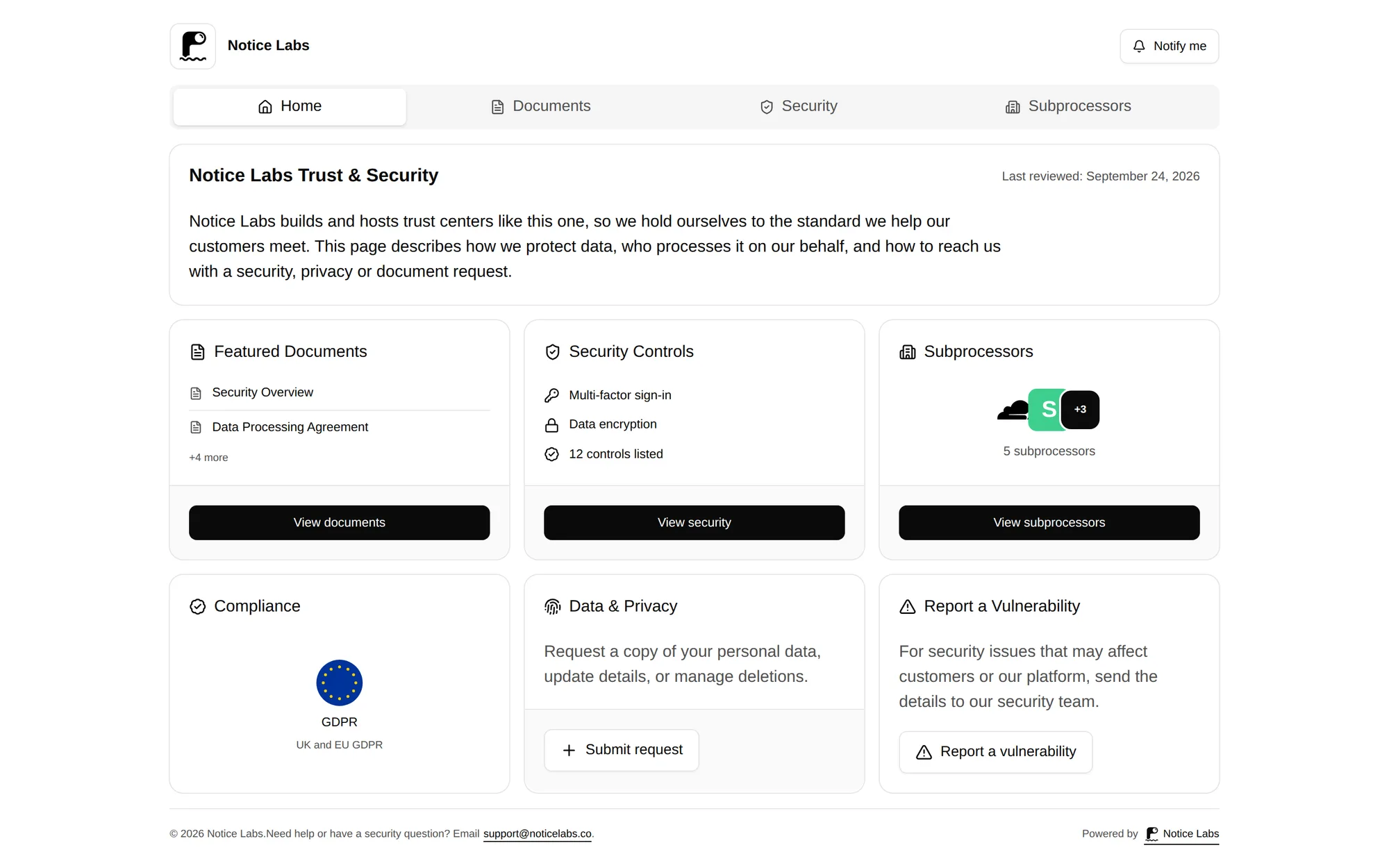
Notice Labs lists your compliance claims on your trust center, at your own domain. Pick from a catalog of 39 frameworks or add your own, mark each one certified, aligned or in progress, and add a note if you want. Nothing is marked done unless you say so. Subscribers who've confirmed their email are sent a daily update when a framework or certification is added or its status changes.
From £39 a month. No sales call.
A badge wall answers nothing
A row of certification logos on a homepage tells a buyer you have opinions about compliance. It doesn't tell them which framework, what stage you're at, or where to check. A reviewer who can't verify a claim either chases you for evidence or discounts it.
The frameworks a buyer asks about also depend on who they are: a US healthcare buyer wants HIPAA, an EU one wants GDPR, an enterprise one wants SOC 2. A single page that shows status per framework, rather than a badge that only means "trust us", answers more of that in one look.
How it works
- 01
Pick your frameworks
Choose from a catalog of 39, covering SOC 2, ISO 27001 and its relatives, GDPR, HIPAA, PCI DSS, Cyber Essentials, NIS2, DORA and more. Add a custom one if yours isn't listed.
- 02
Set an honest status
Mark each claim certified, aligned or in progress. Aligned means you follow the framework without a formal certificate; in progress means you're working towards one.
- 03
Add a note
Add a short note if it helps, such as the scope or the auditor.
- 04
It appears on your trust center
Claims show on your trust center's overview, alongside your other sections. Remove a claim from the admin and it's gone from the page.
One page, every claim, its real status
Certified, aligned and in progress claims sit together, so a reviewer sees the full picture rather than a curated set of logos. Each claim carries the framework name and, where you've added one, a note.
The list sits alongside your controls, documents and subprocessors on the same trust center, so a reviewer doesn't have to leave the page to check the rest of your posture.
Frameworks buyers ask about most
Every framework in the catalog uses the same three statuses. These have a page of their own.
- SOC 2Show Type I or Type II, and share the report and bridge letter on request.
- ISO 27001Show the certificate, and the 27017, 27018 and 27701 extensions alongside it.
- Cyber EssentialsThe UK baseline certification, and what changed in 2026.
- Your security pageThe compliance list sits on the same page as your controls and documents.
What it doesn't do
Notice Labs doesn't audit, verify or certify anything. You choose the status for each framework and you're responsible for it being accurate; Notice Labs just displays it.
It isn't a substitute for the certificate or attestation itself. If a buyer asks for the SOC 2 report or the ISO certificate, share it as a document on the same trust center; the compliance list is just the summary.
Questions
Straight answers to what people ask before they set this up.
What's the difference between certified, aligned and in progress?
Certified means you hold a current certificate or attestation for that framework. Aligned means your practices follow the framework without a formal certification. In progress means you're working towards certification or alignment but aren't there yet. You choose the status; Notice Labs doesn't check it.
Can I list a framework I'm still working towards?
Yes, mark it in progress. Buyers generally prefer an honest in-progress claim to no mention at all, and it's a fair answer if a reviewer asks directly.
Why not just list certifications as certified?
Overclaiming backfires in review. A buyer's security team often asks for the certificate or attestation behind a claim, and a certified badge with nothing to show for it is worse for trust than an honest aligned or in-progress status.
Which frameworks are in the catalog?
39, including SOC 1, 2 and 3, ISO 27001 and related ISO standards, GDPR and UK GDPR, HIPAA, PCI DSS, Cyber Essentials, NIST frameworks, DORA, NIS2 and more. If yours isn't listed, add it as a custom claim with your own name.
Can I show the certificate itself, not just the claim?
Publish it as a document on your trust center, alongside the compliance list, so a buyer can request it directly.
Can we hide a claim once we've added it?
Yes. Remove it from the admin. The Compliance panel only appears on your trust center while you have at least one claim listed.
Related reading
Show your compliance status, honestly, on your own trust center.
From £39 a month. No sales call.