Notify customers when your subprocessors change
Notify customers of subprocessor changes with a subscription on your trust center. Customers who subscribe get one email with what changed: a subprocessor added or removed, a document updated, a control reworded. You choose which kinds of change count.
From £39 a month. No sales call.
A changed vendor list only helps if customers hear about it
Many data processing agreements ask you to tell customers when you add or change a subprocessor. In practice that means someone drafting an email to a list that nobody keeps up to date, or an updated PDF that customers have to notice for themselves.
A published list is the right place for the facts. A subscription is how customers find out they've moved. Subscriber updates are on every plan, and you don't write the emails: they're built from the changes you make in the admin.
How it works
- 01
Keep your subprocessor list on the trust center
Add, edit or remove vendors in the admin as they change. Each change to a vendor's name, website, purpose, regions or data categories is noted for the next update.
- 02
Customers subscribe and confirm
A visitor chooses Notify me and enters an email address. They're sent a link to confirm it, and only confirmed addresses get updates.
- 03
Changes go out as one email a day
Each change you make in a category you've ticked is gathered into a single email. Send now sends what's waiting straight away, and nothing is sent when nothing has changed.
- 04
Anyone can unsubscribe
Every email has a one-click unsubscribe link, so a customer can stop updates without contacting you.
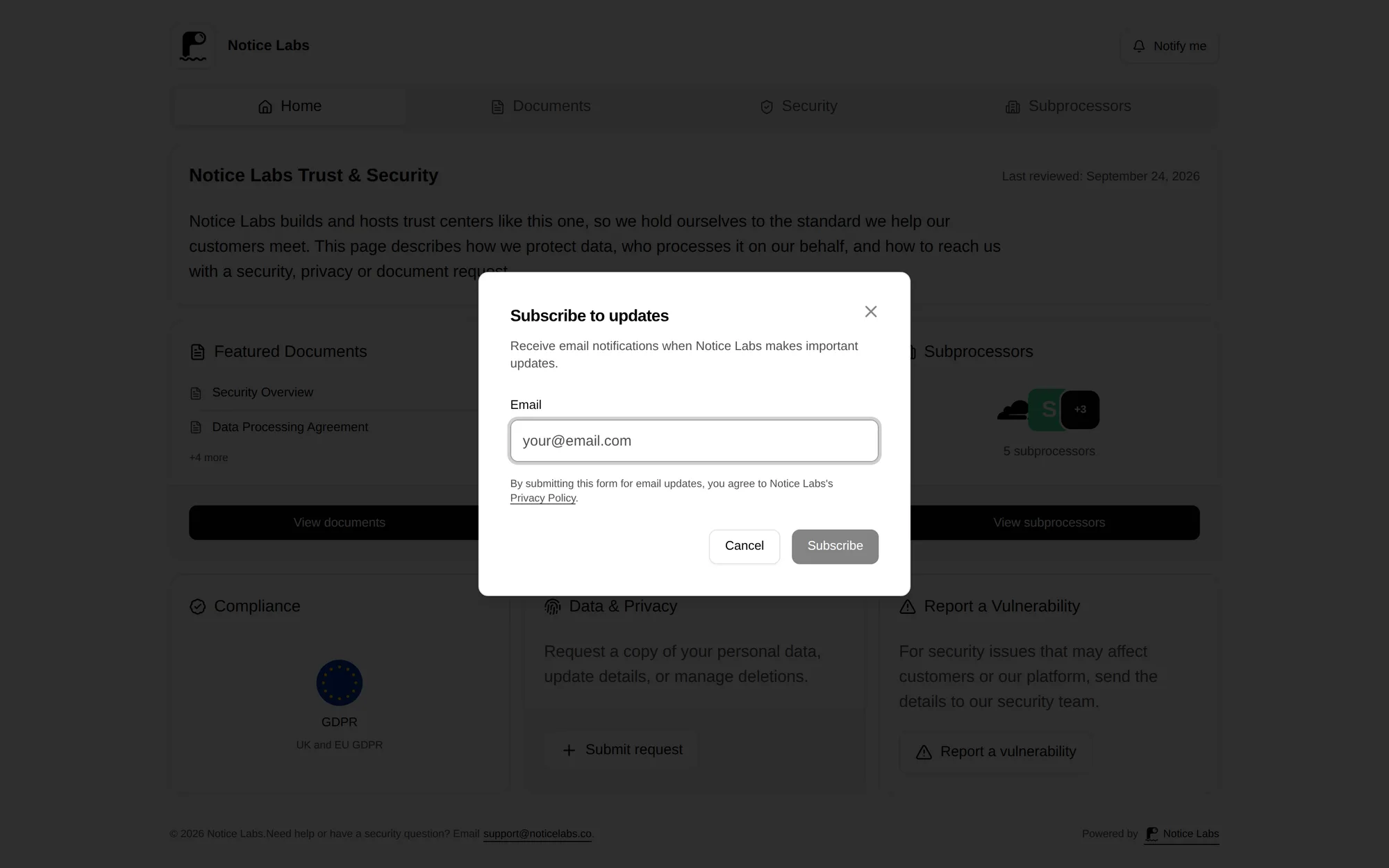
Customers subscribe with one field
Notify me sits in the header of every trust center. A visitor enters an email address and is sent a link to confirm it. Until they confirm, nothing is sent to that address.
Each update lists changes under a heading for their kind, such as Documents or Subprocessors. Every line is marked added, updated or removed, and a button takes the reader back to your trust center.
What it doesn't do
It emails people who chose to subscribe, so it isn't a guaranteed notice to every customer. It reports changes after you've saved them in the admin: it doesn't hold a change back, enforce a notice period or track objections. You don't write or edit the email.
If your DPA promises a specific notice period or channel, check it against how this works. It isn't legal advice on what your agreements require.
Questions
Straight answers to what people ask before they set this up.
Does this meet my DPA's notice obligation?
That depends on what your DPA says. Many allow notice through a subscription mechanism on a published page, but some ask for a set period before the change or for direct notice to named contacts. Check your own terms.
What counts as a subprocessor change?
Adding a vendor, removing one, or editing its name, legal name, website, purpose, processing regions or data categories. Reordering the list isn't a change. The Subprocessors switch on the admin's Subscribers page turns this kind of update on or off.
Who receives the emails?
Confirmed subscribers only. In the admin you can see who has confirmed and who hasn't, remove a subscriber, and export the list as a CSV.
Can I choose what triggers an email?
Yes. Documents, security controls, compliance and subprocessors are on by default. You can also add changes to which sections are shown and moves of the last reviewed date, or switch any kind off.
How often are emails sent?
Once a day, and only when something changed, so an empty email is never sent. Send now in the admin sends what's waiting straight away.
Can subscribers unsubscribe?
Yes, with one click from the link in any email, or with their mail app's own Unsubscribe button.
Related reading
Let customers hear about vendor changes from you.
From £39 a month. No sales call.