A SOC 2 trust center, not a PDF in your sent folder
Here is how to share a SOC 2 report without emailing it around. Notice Labs gives you one page for your SOC 2 status, your report and the documents that go with it. A visitor sees where you stand, requests the report, and your team decides who gets it. No more attaching a PDF to an email and hoping it doesn't go stale.
From £39 a month. No sales call.
The report ends up in a dozen inboxes
A prospect asks for your SOC 2 report during procurement. Someone finds the latest PDF, checks who's asking, and emails it over. Six months later the same report goes out again, sometimes to the same company, because nobody remembers who already has it or whether it's still current.
Meanwhile the report on its own tells only part of the story. A buyer also wants to know if you're Type I or Type II, whether a bridge letter covers the gap since the report period ended, and whether a recent penetration test backs it up. Sending three attachments by email is no way to answer any of that.
How it works
- 01
Set your SOC 2 status
Add SOC 2 Type I or Type II to your compliance list as certified, aligned or in progress, with a note if you want one. It shows on your trust center straight away.
- 02
Add the report and its bridge letter
Upload the report as a document, available on request. Add a bridge letter or a penetration test summary as documents of their own, so a reviewer isn't left asking for them separately.
- 03
Explain the controls behind it
List the controls a SOC 2 audit checks for, in plain language, from the Notice Labs controls library or your own. A reviewer reads what's in place without opening the report.
- 04
Approve who gets the report
A requester gives their name, company and email. Your team approves or denies each request in the admin, and an approved link expires after 30 days.
Controls explained, not just claimed
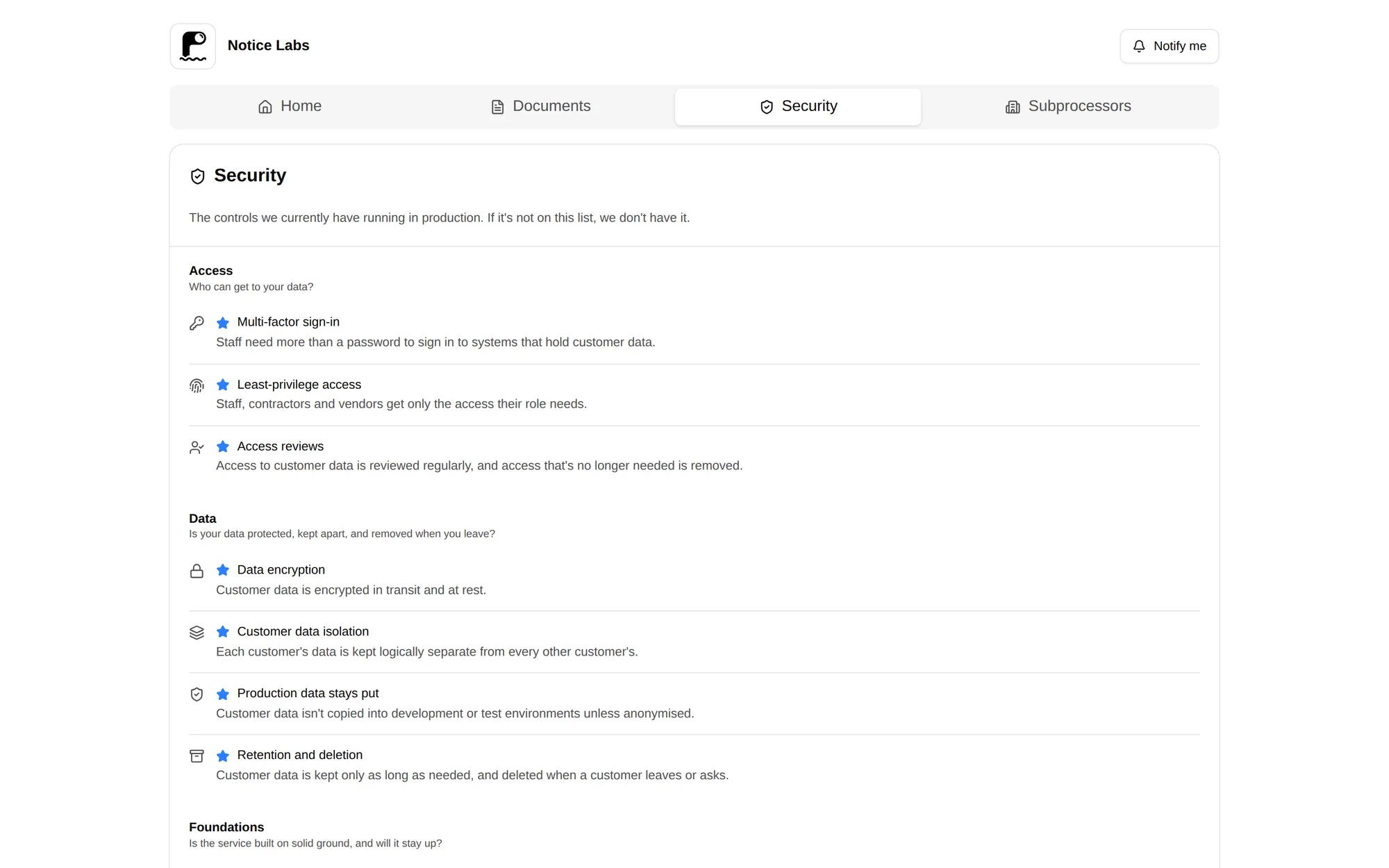
The Security tab lists your published controls by category, each with a plain-language description of what it means and why it matters. A reviewer can check the controls a SOC 2 audit covers before they ever open the report.
Use the Notice Labs controls library for standard wording, or write your own for anything specific to how you work.
Every request in one list
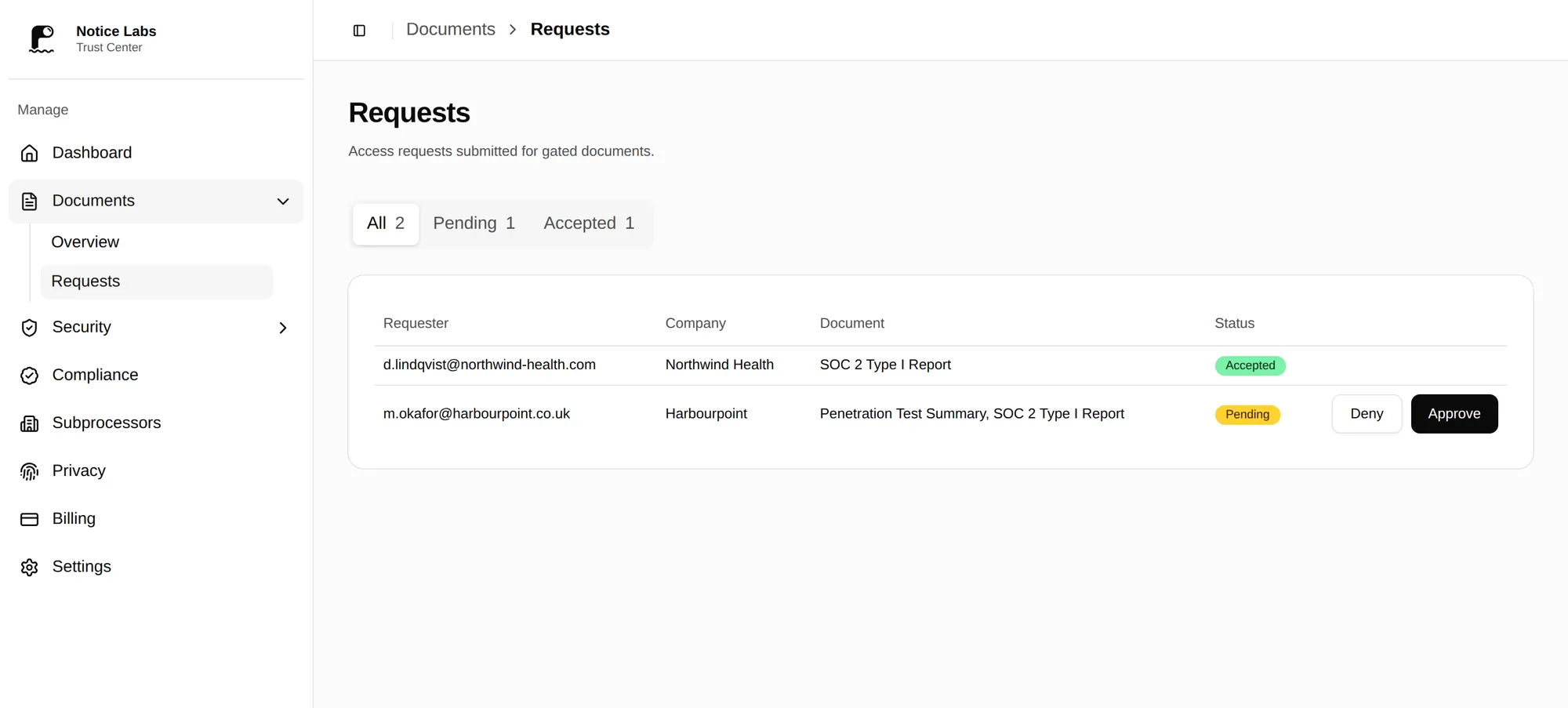
Each request for your SOC 2 report is a row: who asked, which documents, and whether it's still pending. Approve one and the requester gets a link that expires after 30 days, so you're not tracking who has the current version by memory. You can revoke an approved link at any time.
What's on the page
A SOC 2 trust center brings a few things together for the same visitor.
- Compliance statusSOC 2 Type I or Type II shown as certified, aligned or in progress, so a visitor doesn't have to ask.
- Gated document accessThe report, bridge letter and pentest summary sit behind a request a visitor fills in and your team approves.
- Controls, explainedThe controls a SOC 2 audit checks for, listed in plain language rather than left inside the report.
- A bridge letterWhat a SOC 2 bridge letter covers, and why a buyer asks for one when your report period has ended.
- Other certificationsHold ISO 27001 as well? Show it beside SOC 2, with the certificate public and the rest on request.
- Your own addressPut the page at trust.yourcompany.com instead of a noticelabs.co link, on Pro and Enterprise.
What it doesn't do
Notice Labs doesn't audit you, prepare you for a SOC 2 audit, or produce the report itself. That work is your auditor's, and the report, bridge letter and pentest summary are still ones you upload.
The status shown is the one you set. Notice Labs doesn't verify an attestation, check an auditor's credentials, or confirm a report is current. The documents you publish and the date you mark the page reviewed show that.
Questions
Straight answers to what people ask before they set this up.
Can I use this before my SOC 2 audit finishes?
Yes. Mark your status as in progress with a note on timing, and add whatever you can share now, such as a readiness letter. Update the status to certified once the report is issued.
Type I or Type II — does it matter which I show?
Show whichever you have. A Type I attests to controls at a point in time; a Type II covers a period, usually six or twelve months, and is what most buyers ask for. You can list both if you hold them.
What's a bridge letter and do I need one?
A bridge letter is a short statement from your management confirming controls kept operating since your last report period ended. Buyers usually want one once a Type II report is more than a few months old; add it as a document next to the report.
Should I publish the report itself or keep it gated?
Most companies keep it available on request rather than public, since it names systems and sometimes staff. A visitor requests it, gives their name, company and email, and your team decides.
Can I add a penetration test summary alongside the report?
Yes, as its own document. Buyers often ask for one to back up the SOC 2 report, particularly if the report period has moved on since the test.
How do we control who sees the report?
Your team approves or denies each request in the admin, where it shows the requester's details and the documents they asked for. An approved link expires after 30 days, and you can revoke it at any time. Enterprise adds an NDA click-through, passwords and email-domain rules.
Related reading
Put your SOC 2 status where buyers can see it.
From £39 a month. No sales call.