One current address for your DPA and security policies
Notice Labs gives your DPA, privacy policy and other policies a public home on your trust center, at your own domain. Each one carries an effective date, so a reader knows it's current, and a link, so it never has to travel as an attachment again. If you don't have a DPA yet, Create in the admin drafts a template from your legal details, subprocessors and security controls, for your lawyer to review.
From £39 a month. No sales call.
The DPA in someone's inbox is the old one
A DPA usually starts life as a PDF, attached to an email, attached to a contract. It works once. Then the policy changes, and the copy sitting in a customer's inbox, their vendor register or their questionnaire answers doesn't.
A reviewer filling in a security questionnaire asks for a link more often than a file, because a link points at the current version. If the only answer you have is an attachment from eighteen months ago, that's the version they file.
How it works
- 01
Add the document, or draft one
Upload the DPA, privacy policy or other policy as a file, or link to where it already lives. No DPA yet? Create builds a GDPR Article 28 template with you as the processor, prefilled from your trust center, as a preview and a PDF.
- 02
Set its kind and effective date
Mark it as a policy, a report or a certificate, and set the date it took effect. That date is what a reader sees.
- 03
Choose who can see it
Public documents are there for anyone. Others sit behind a request, or stay private until you're ready.
- 04
Point contracts at the address
Give the trust center's Documents address in a contract or questionnaire instead of attaching a file, so it always resolves to the current version.
Public policies and gated reports in one list
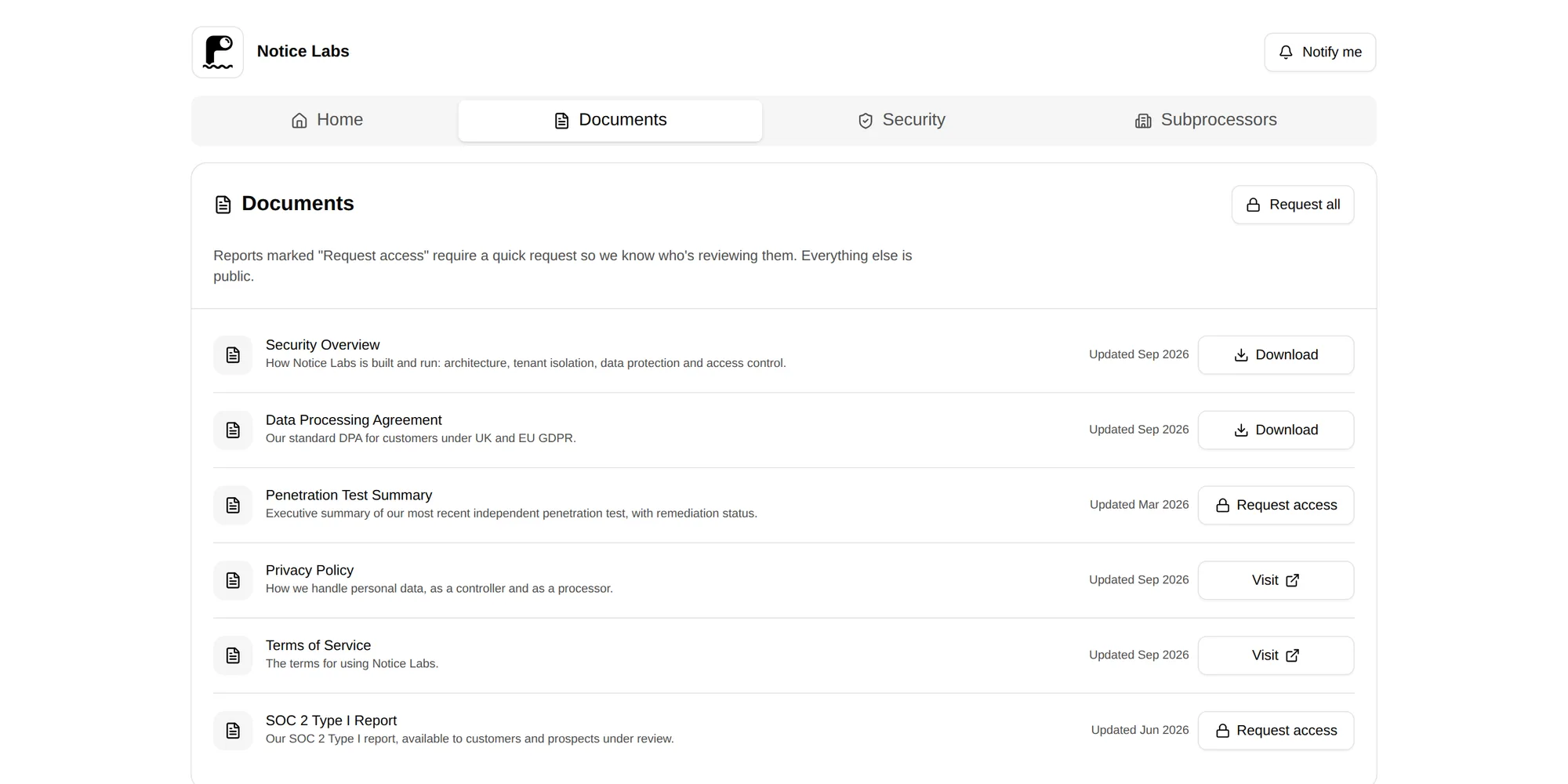
The Documents tab lists each policy with its kind and effective date. A DPA or privacy policy can sit there as a public download, next to reports that need a request first, so a visitor doesn't have to know in advance which is which.
Replace the file or the link when a policy changes, and the effective date moves with it. The address a contract points to stays the same.
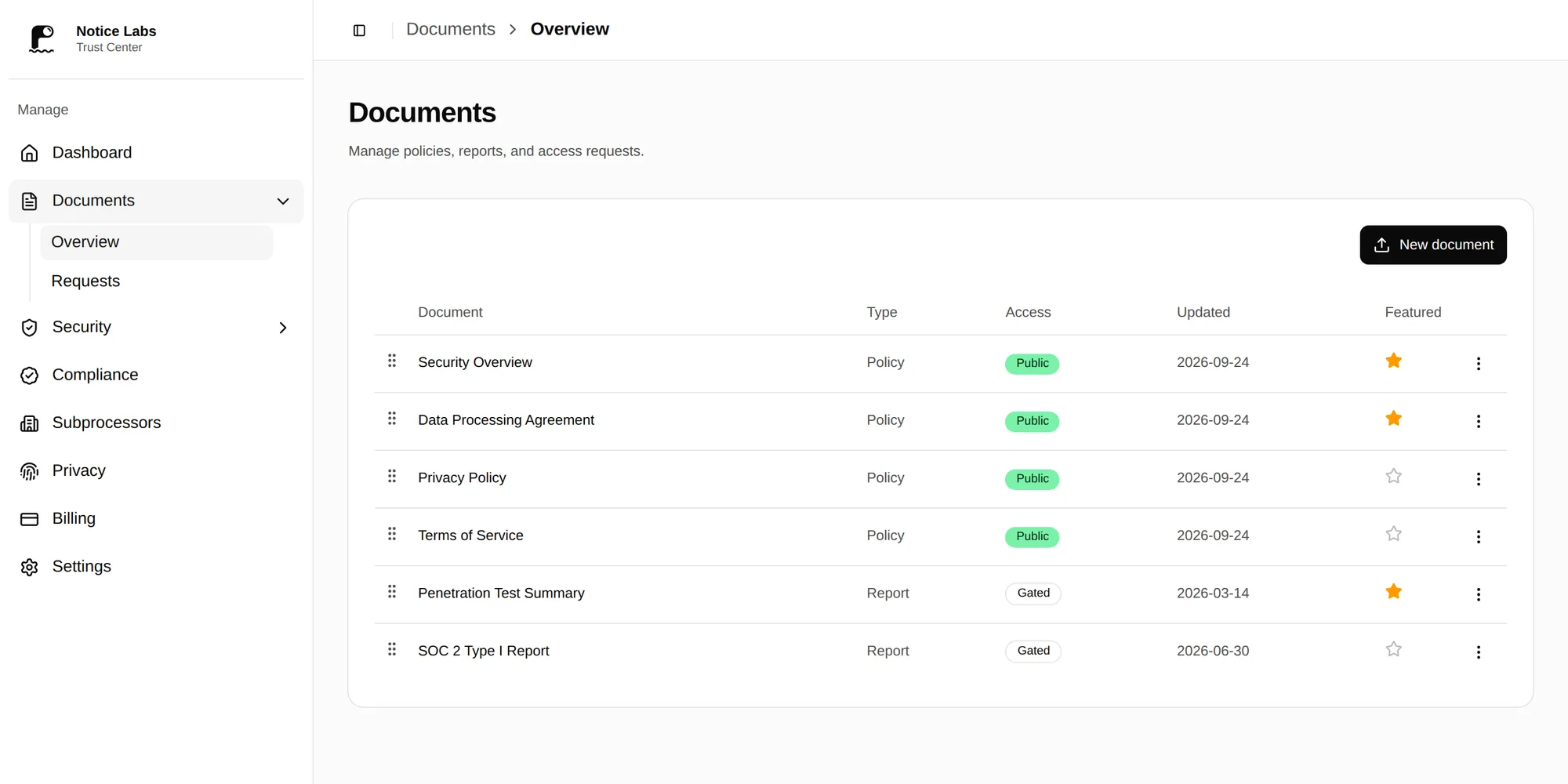
Every document, and who can see it, in one place
The admin lists every document with its visibility, so it's clear at a glance which ones are public, which are gated, and which aren't published yet.
What it doesn't do
Notice Labs doesn't give legal advice. The DPA that Create produces is a template: it says so in the document, it hasn't been checked against your contracts or the law that applies to you, and it needs review by your own counsel before you send or sign it. Publishing a DPA here doesn't make it legally binding on its own; that depends on what your contract or terms say about it.
Hosting gives the document a public, current address on your trust center, with an effective date you control. Notice Labs doesn't draft your privacy policy, and updating any policy is still yours to do.
Questions
Straight answers to what people ask before they set this up.
Is a DPA published on a trust center legally binding?
Publishing it doesn't decide that on its own. Some contracts incorporate a DPA by reference to a URL like this one; others still need a signed copy. Check with whoever handles your agreements about which applies to you.
Can I keep the DPA private and only share it on request?
Yes. Each document can be public, available after a request, or private. Many teams publish the DPA and privacy policy openly, since both are usually asked for early in a review, and gate anything more detailed.
What's the effective date for?
It's the date the version in front of the reader took effect. Replace the file or link when the policy changes and update the date, so anyone checking knows whether they're looking at the current one.
Can Notice Labs write my DPA?
Create generates a template for a DPA where you are the processor, prefilled from your trust center. It's a starting point for a lawyer, not a finished agreement and not legal advice. You complete the blanks, check every detail and security measure is true of your business, and have it reviewed.
Does the address change if I update the document?
No. You replace the file or the link behind an existing document, so the address you gave a contract or questionnaire keeps pointing at the current version.
Related reading
Give your DPA one address that stays current.
From £39 a month. No sales call.