Share security documents without emailing PDFs
Notice Labs puts your reports, policies and certificates on your trust center. Mark each one public, request only or private; a requester picks what they need in one form, and you approve or deny it in the admin. Revoke an approved link whenever you need to.
From £39 a month. No sales call.
PDFs by email don't stay in sync
A buyer asks for your SOC 2 report, your pen test summary and your data processing agreement. Someone finds the files, checks they're the latest version, and emails them over. Next quarter the report is renewed and the same three files go round again, from whoever still has them.
There's no record of who asked for what, no way to stop forwarding once a file has gone out, and no way to tell a buyer their access has lapsed. A document page that requesters use directly keeps one copy of the truth and a log of every request.
How it works
- 01
Add your documents
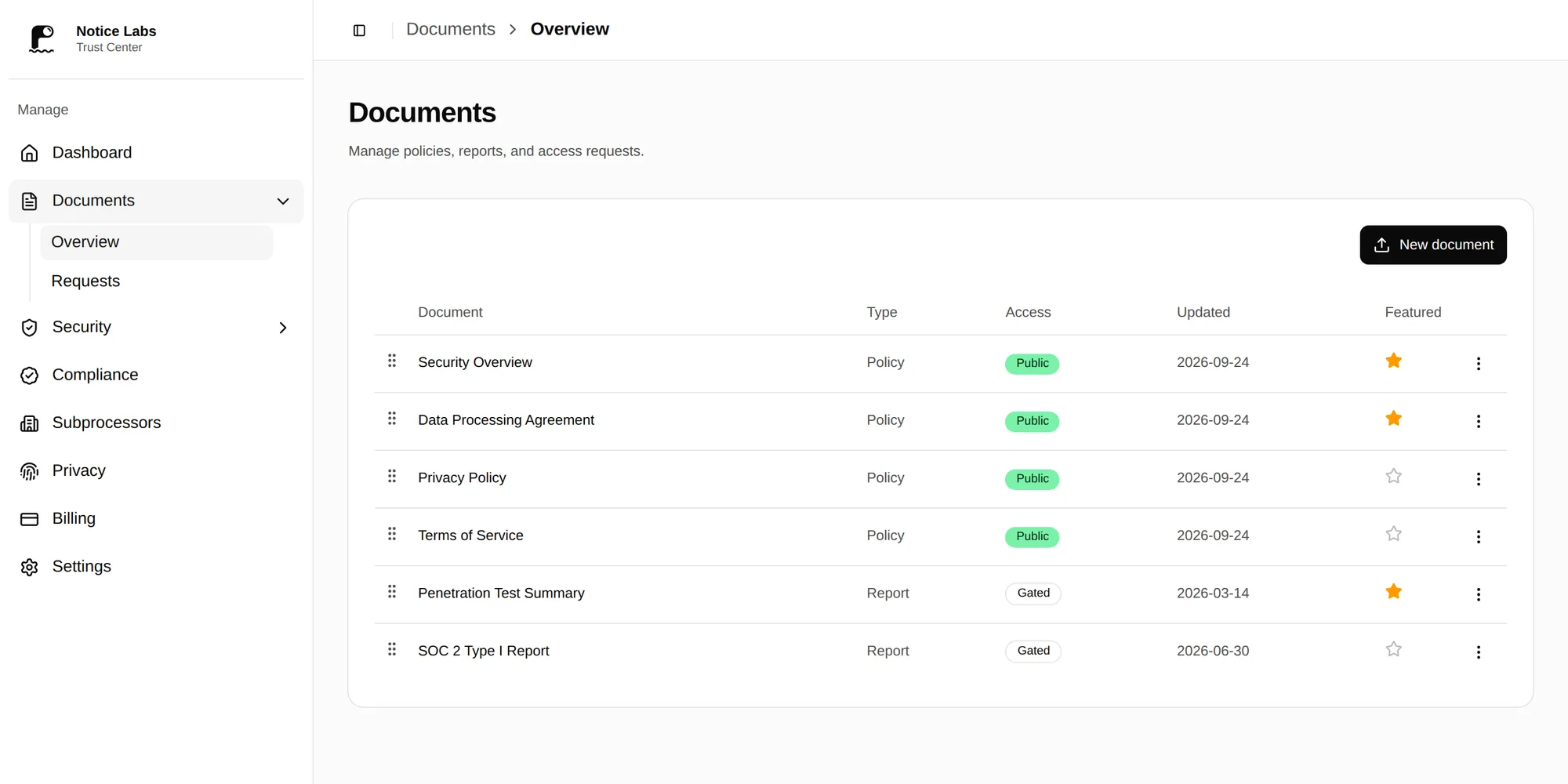
Upload a file or link to one, and set its kind, effective date and access: public, available on request, or private.
- 02
A requester picks what they need
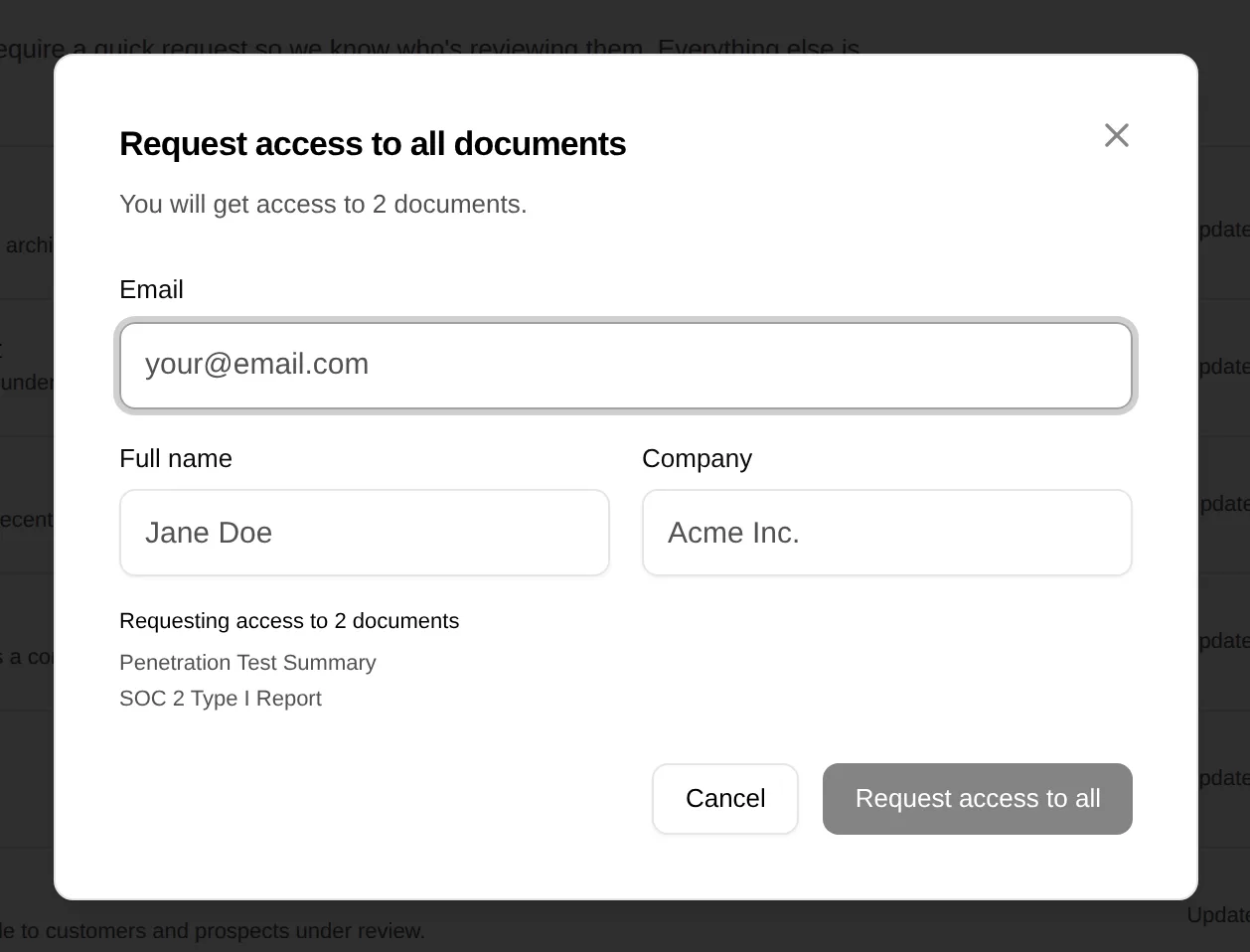
One form lists every requestable document with a checkbox. They give their name, company and email, and submit once for as many as they need.
- 03
You approve or deny the request
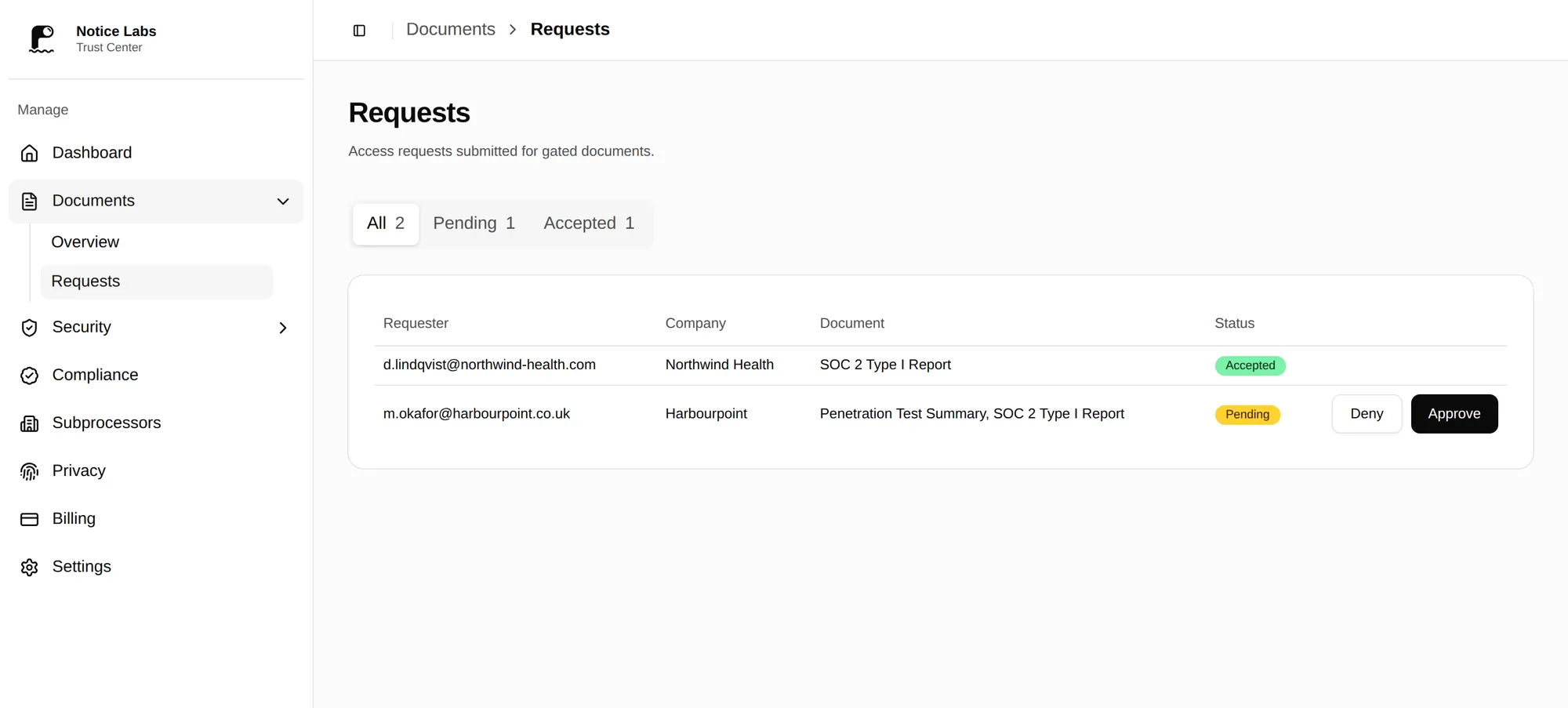
The request lands in the admin with the requester's details and the documents they asked for. Your documents contact was already alerted by email when it came in. Approve or deny it whenever you're ready, and see every request's status in one list.
- 04
Access expires, or you end it
An approved requester gets a link by email that works for 30 days, then stops. Revoke it sooner from the requests page and it stops at once. After that, it's a fresh request.
One page, three kinds of access
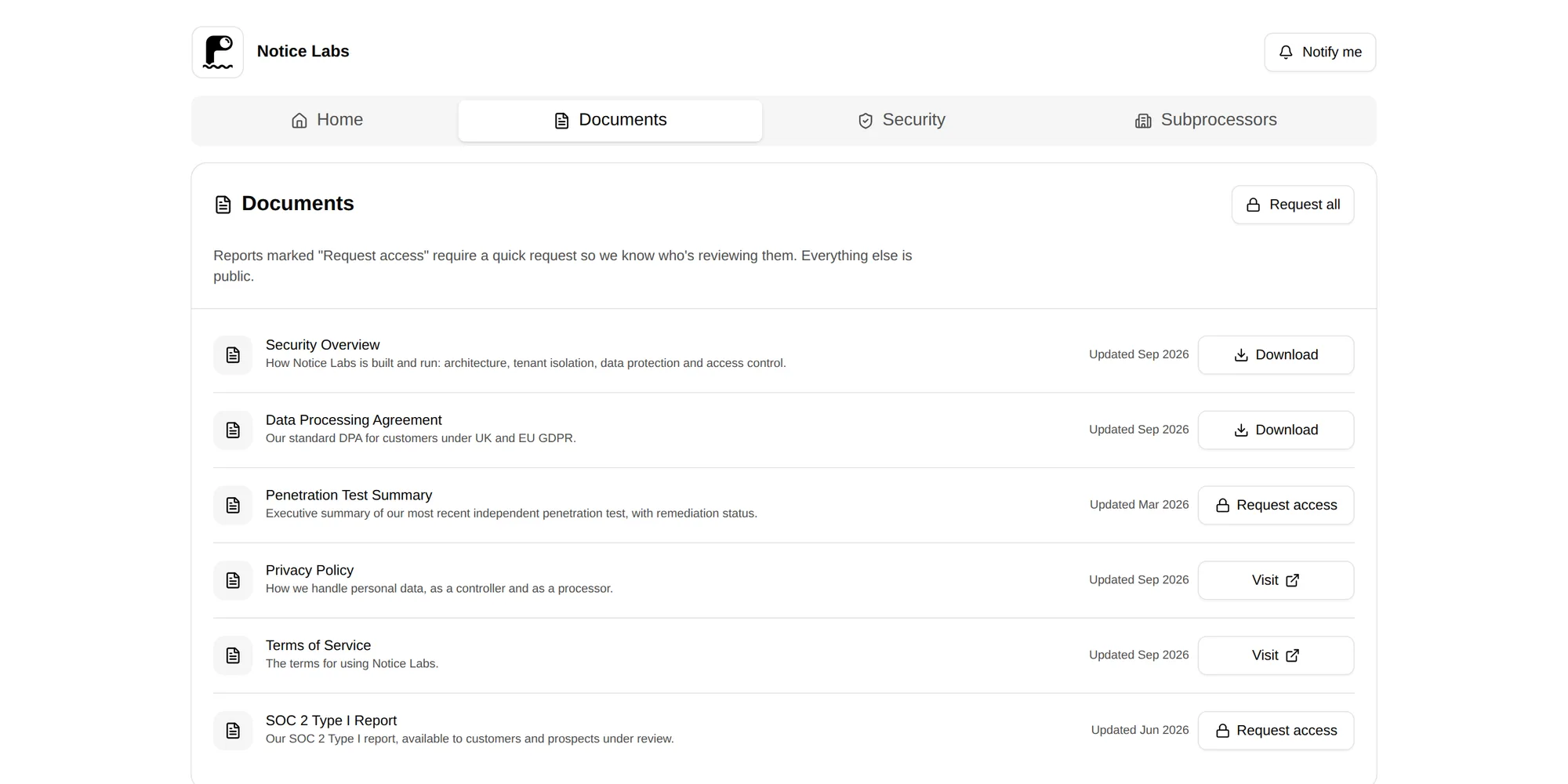
The Documents tab shows public policies as a direct download, next to reports that need a request. A private document doesn't appear at all, so it's never a search result or a stray link.
One form covers everything a requester wants that quarter: pick two reports and a certificate, and they go in as a single request.
A record of who asked for what
The admin lists every document with its access setting, and every request with the requester's name, company and email. By default your team reads each request and approves or denies it.
Enterprise adds NDA acceptance, passwords and email-domain rules.
What it doesn't do
This isn't document DRM. Notice Labs doesn't watermark files, stop a downloaded PDF being forwarded, or track whether it's been opened. Access control happens at the request stage, not inside the file afterwards.
A denied request just doesn't get a link; there's no appeal flow or messaging back to the requester beyond the decision itself. If you want to say more, your documents contact's reply-to email is the requester's own.
Where you ask for an NDA, it's a click-through of your own wording, not an e-signature, and it isn't legal advice: have your own counsel check the text.
Questions
Straight answers to what people ask before they set this up.
How is this different from emailing a PDF?
The file lives in one place, so there's only ever one current version. Every request is a record with a name, company and email attached, and access to a report lapses automatically instead of staying valid forever in someone's inbox.
Can a requester ask for several documents at once?
Yes. The request form lists every document set to request access with a checkbox, and one submission covers as many as they select.
Can I stop a link that's already been sent?
Yes, on any plan. Revoke an approved request from the requests page and its link stops working at once. The requester would need to ask again.
How long does an approved request last?
The link in the approval email works for 30 days from approval. After that it stops working, and the requester needs to ask again. You can revoke it sooner.
Can some documents stay completely private?
Yes. Set a document's access to private and it doesn't appear on the trust center at all, request form included. Use that for anything you only ever send directly.
Do requesters need an account?
No. A requester gives their name, company and email on the form; there's no login for them to create or remember.
Related reading
Put your security documents where buyers can actually find them.
From £39 a month. No sales call.